On this page
Ressura works on one company at a time. Everything you add, and every Finding that follows, belongs to that company and to the people you have invited into it.
Your company
Open Company details in Settings to confirm which company is active.
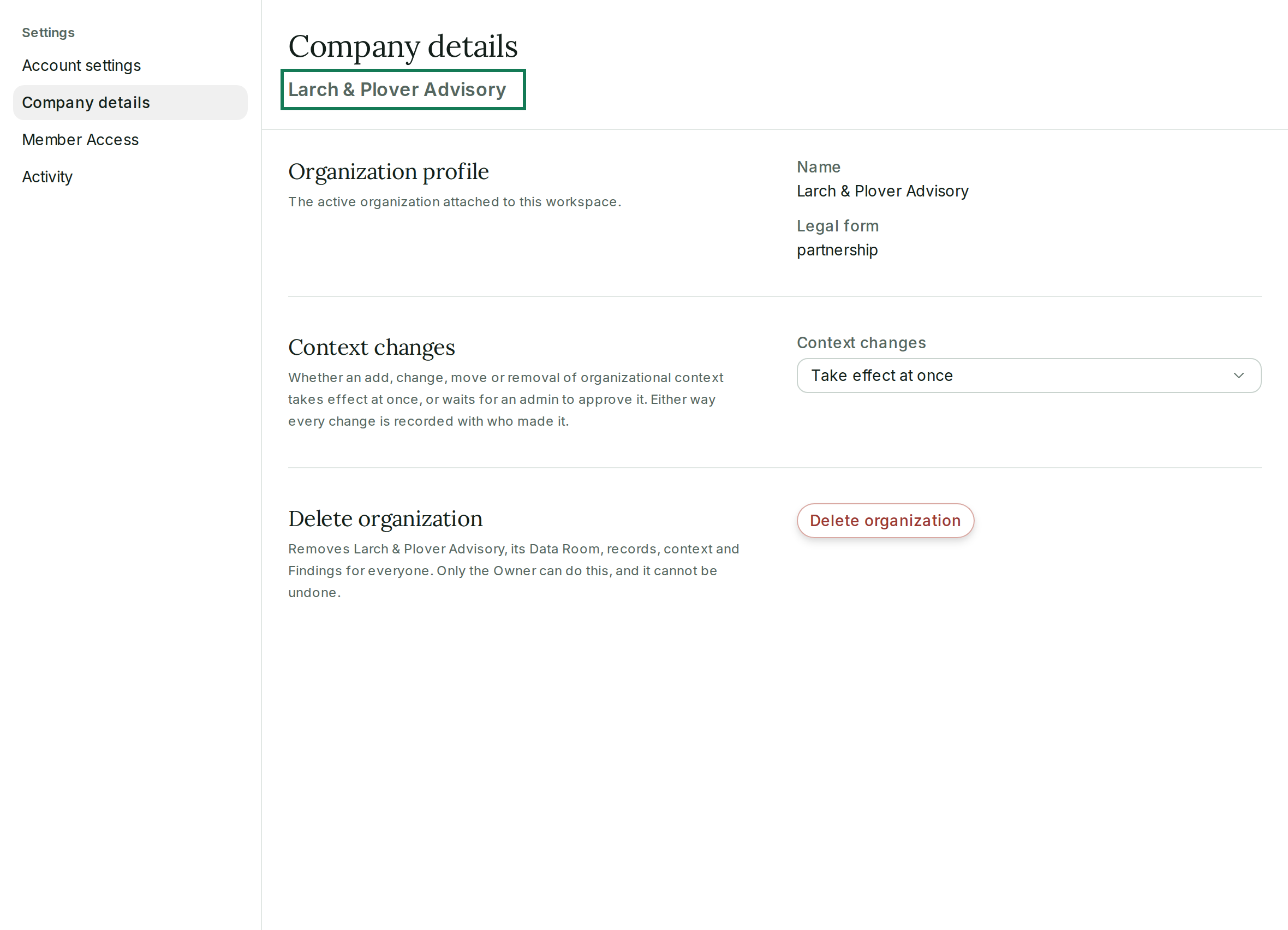
If you work with several, the organization menu (the company’s name at the top of the page, to the right of the Ressura name) switches between them or creates another; each company keeps its own Data Room and its own Findings.
 switches between them or creates another; each company keeps its own Data Room and its own Findings.”)
Your team
Open Member access in Settings to see who can work in the company and to invite someone new.

There are three roles:
- Owner: one person, who alone can transfer ownership, delete the company, and give the final approval on a fraud-risk Finding.
- Admin: changes settings, manages members and approves context changes when approval is required.
- Member: adds documents, reads Findings and answers whatever Ressura asks.
Invite the people who actually handle supplier and customer invoices, because the more of them who answer Ressura’s questions, the fewer questions it has to ask anyone.
You can also invite someone from a Finding. When an admin hands a Finding to a colleague who is not yet in the company, Ressura invites them as a member, the same invitation Member access sends, and emails them who handed them the Finding. The invitation waits in Member access until they accept it, and once they do the Finding names them.
The Data Room
The Data Room is the one place your documents live. It has a section for Contracts and Agreements, meaning any document that sets a price or terms, and one for Invoices, the invoices your suppliers sent you and the ones you issued. Other kinds of document, such as bank statements and pay runs, receive sections of their own as the Modules that read them arrive.
To add a file yourself, choose Add to Data Room at the top of the page.
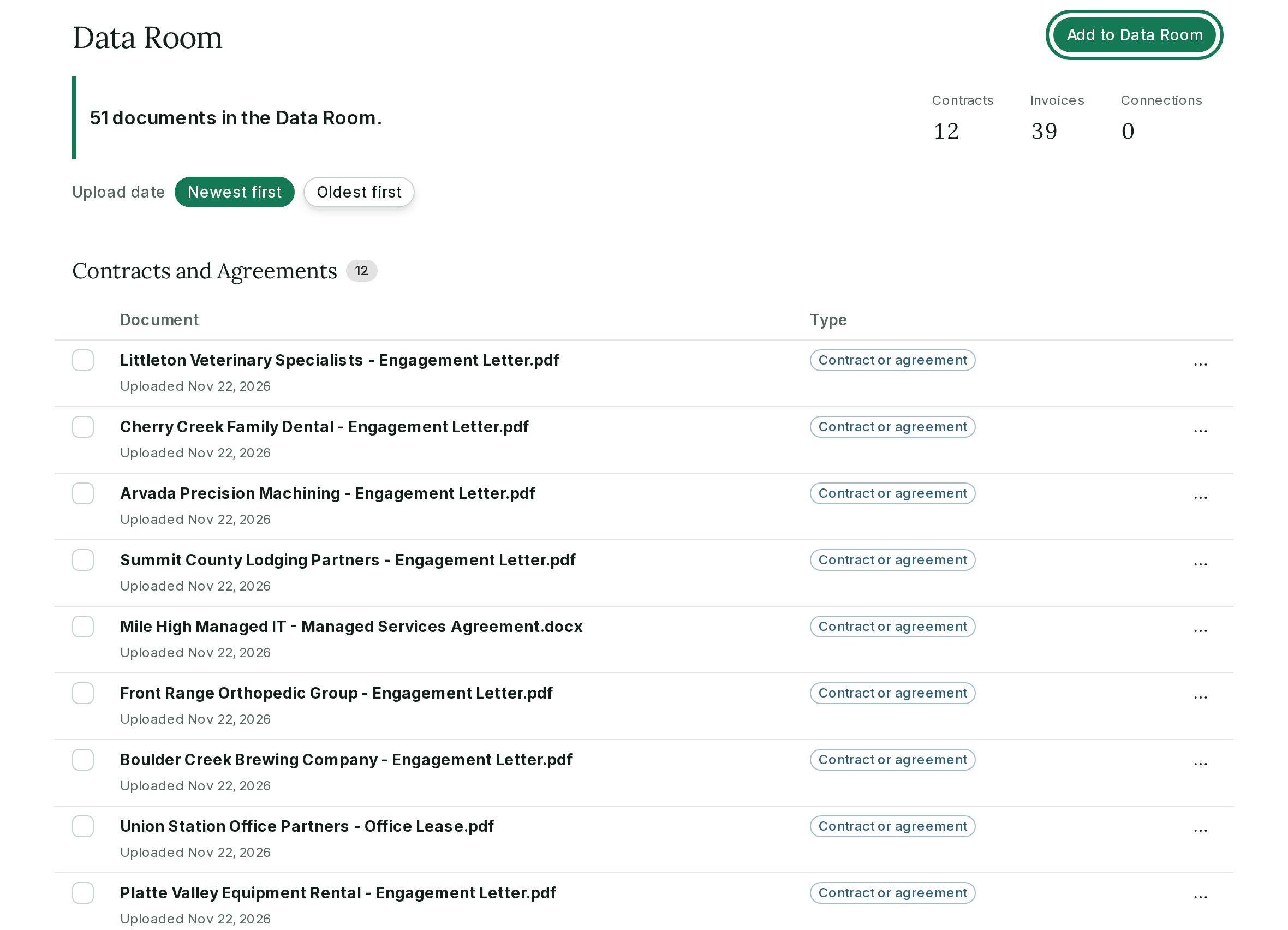
Each document shows where it came from: added by a person, or delivered by a Connection. A document imported from Google Drive keeps its Drive details, so the original is always traceable.
The Directory and context
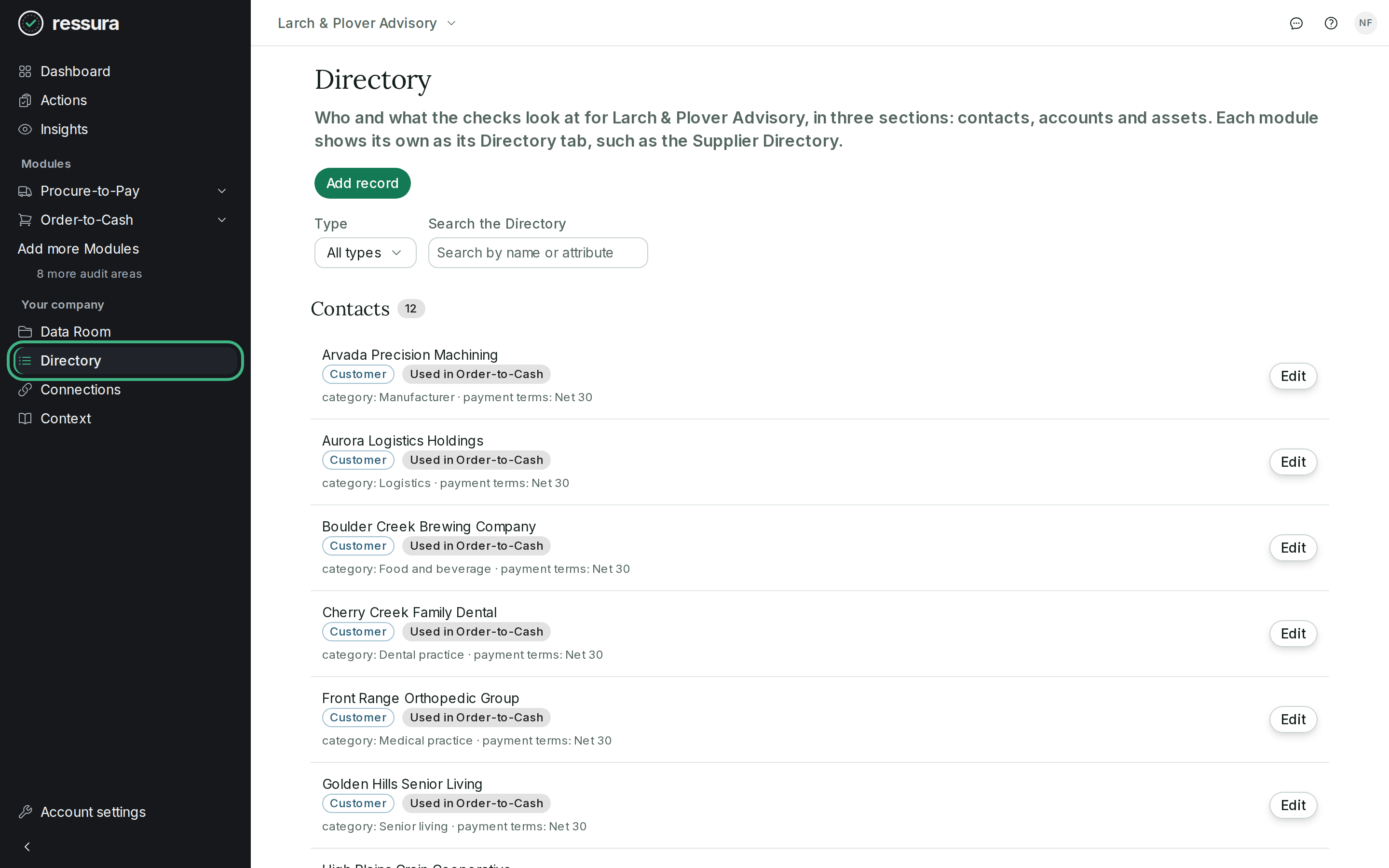
Two things sit alongside the Data Room. The Directory holds the suppliers, customers, employees, accounts and assets your documents mention, in three sections, and each Module shows its own part of it, such as the Supplier Directory in Procure-to-Pay.
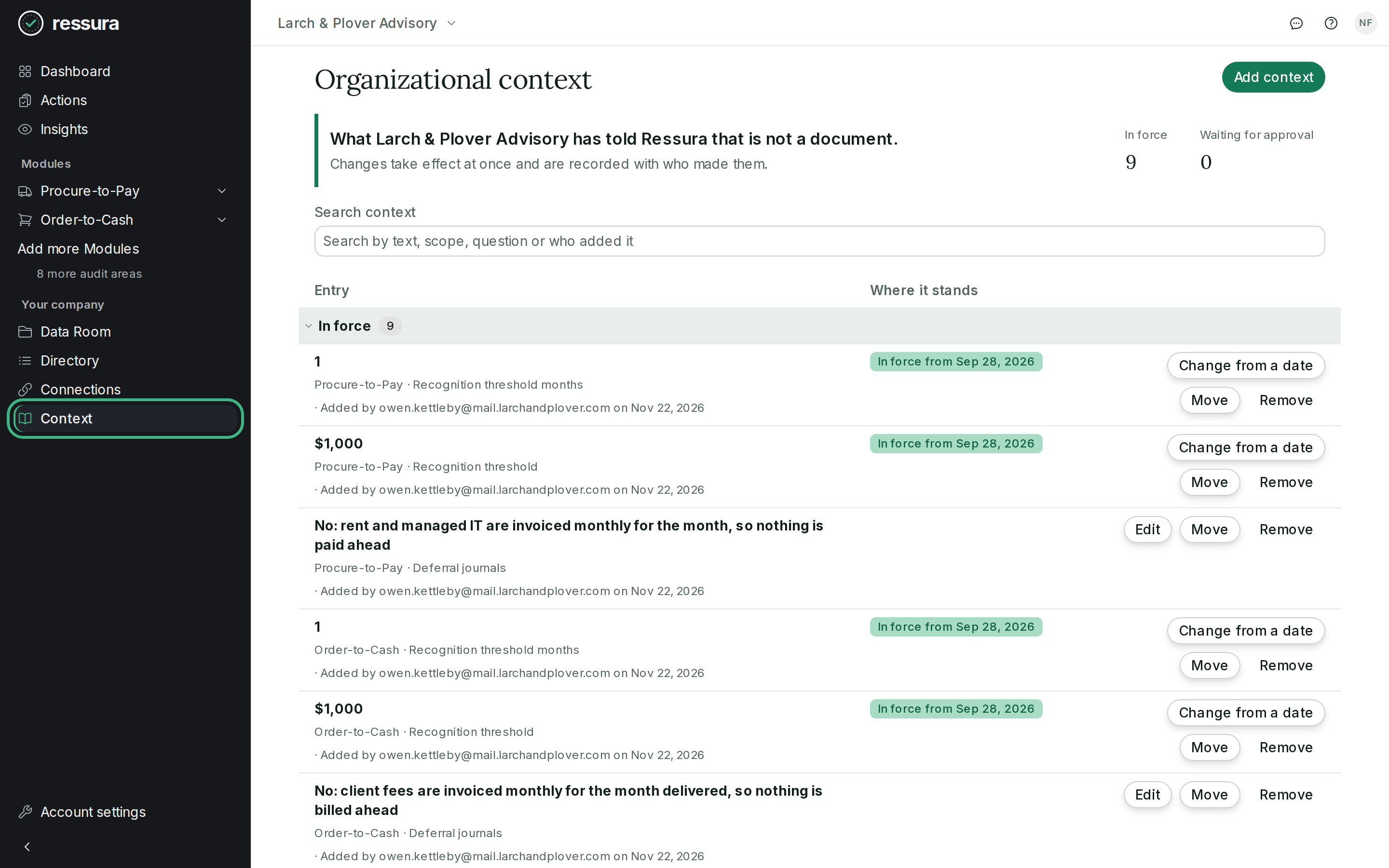
Organizational context is whatever you tell Ressura about your company that is not a document: your fiscal year, a policy, a note such as “that rate was renegotiated in March”. Every Module reads it before checking anything.
Where to go next
Add your first agreement and invoice, then connect a system when the first Finding has earned it.